1. API Type: Select “Default” or “Custom” to enter API Key information.
- Default: The API Key will be used in Dashboard -> WP Form Builder -> Settings -> Integrations. You need to enter full information of the API key here.
- Custom: You will enter the API Key information inside the Brevo section in the section “Custom API Key”.
2. Update Contacts: When you activate this option, the information of customers who registered with the same email will be overwritten, the last subscriber information will be updated.
3. Acceptance Field: This option allows customers to make a choice with the data type of checkbox, whether they agree to subscribe to marketing emails or not. If the customer agrees, the email will be saved in Brevo. If the customer does not agree, the information will not be saved in Brevo. With this option, you need to create a field with the type “Acceptance”, then enter the name of the newly created field in the section “Acceptance Field Name”.
4. LIST ID: Select the contact list you want to add to.
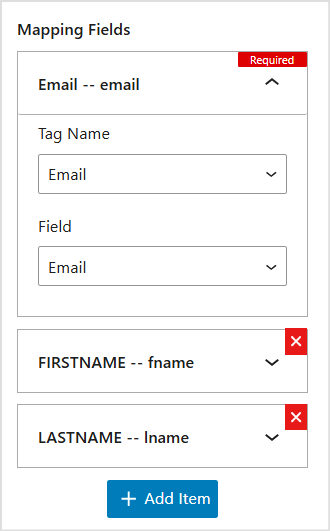
Step 4: Perform full the mapping the customer information you want to save.
– Tag Name: Select the tag name you want to map. This tag name is taken from Brevo api.
– Field: Select the field name you want to map with the Tag Name.
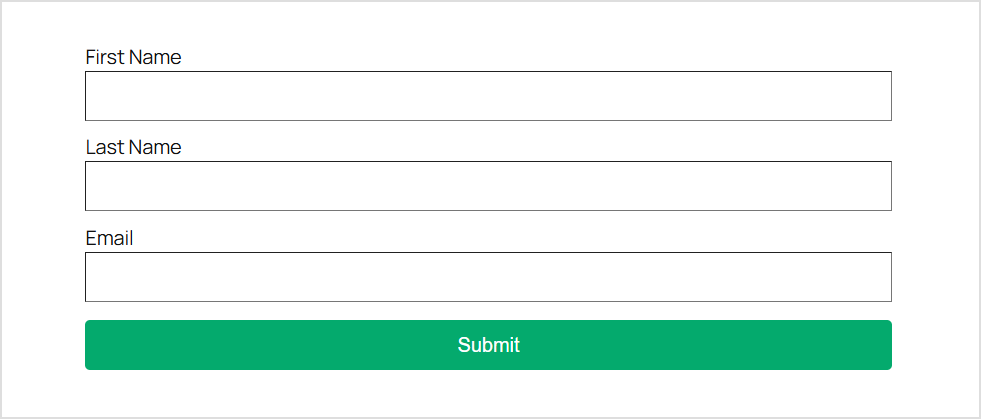
Select the corresponding fields of the form and the received tag names to perform the necessary mappings.
Note: Email is a required field when mapping.