Google Sheets
Google Sheet, also known as Google sheets, is an application that allows users to create and edit spreadsheets for free similar to Microsoft Excel. You can save customer information to Google Sheet after submitting forms. To integrate Google Sheet into a form, follow these steps:
Step 1: Access Google Cloud to generate Client ID and Client Secret keys.
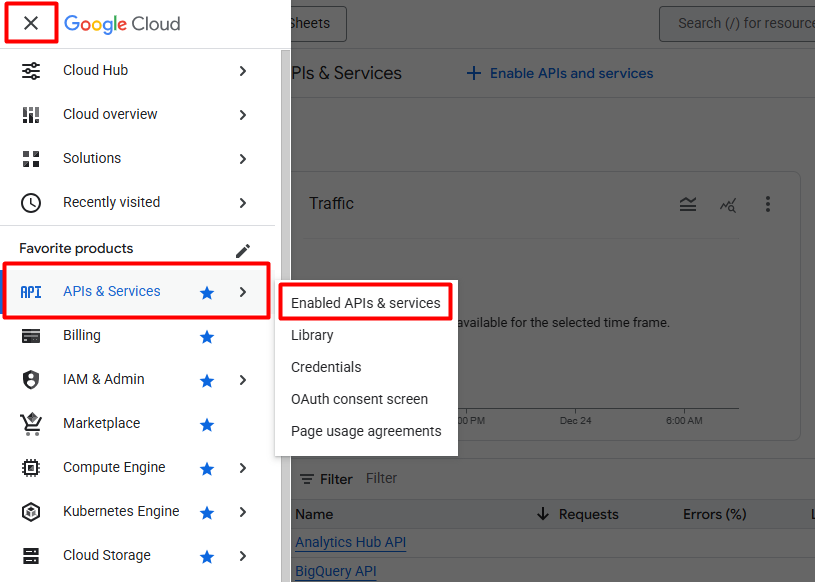
- Click Menu Google Cloud -> APIs & Services -> Enabled APIs & services
- Click ENABLE APIS AND SERVICES
- Search for Google Sheets API and proceed to enable
- Enable Google Sheets API
- Click CREATE CREDENTIALS to generate credentials
- Create credentials then press Done
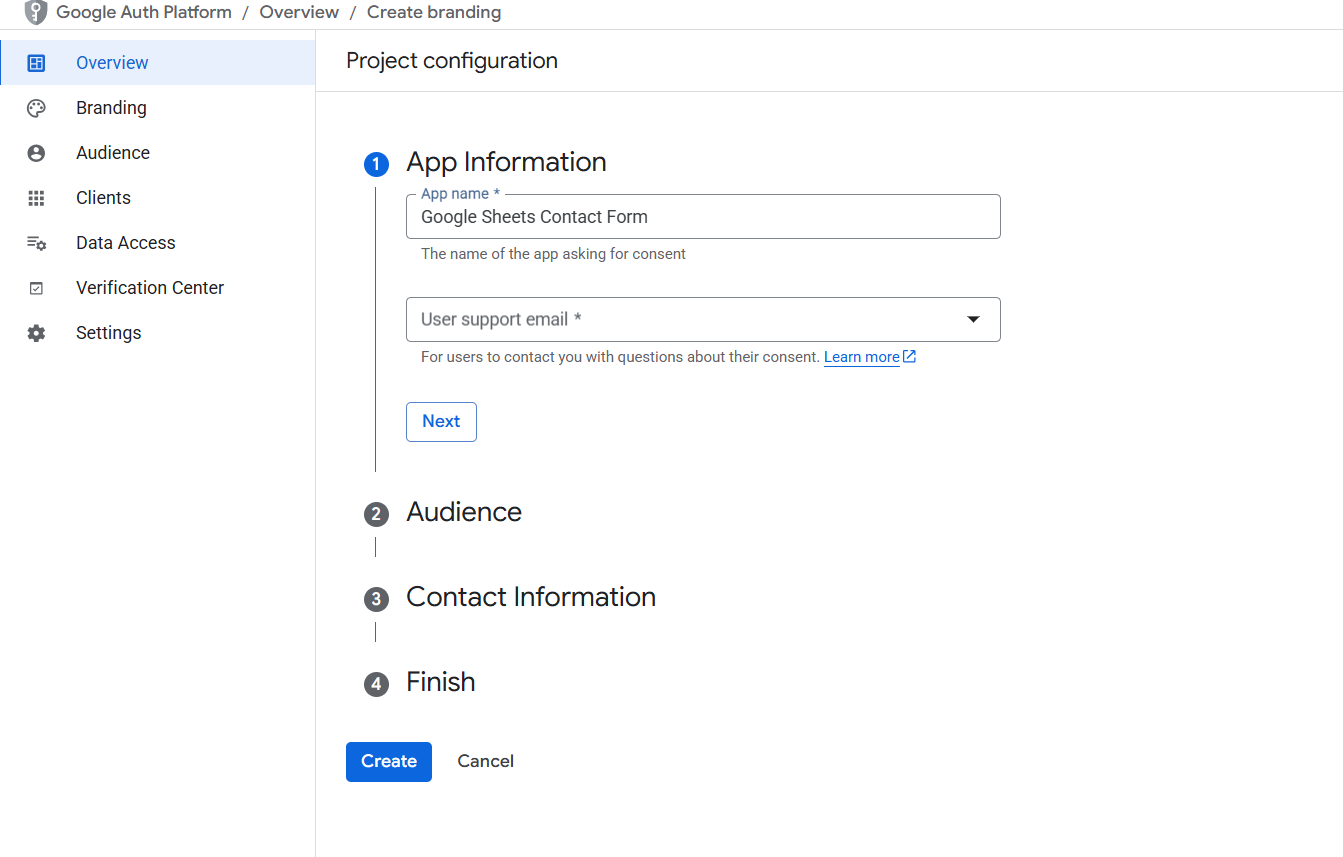
- Select OAuth consent screen to set up the authentication screen
- Select Audience.
- Enter Contact Information
- Select menu Audience -> Publish app
Select menu Overview -> Create OAuth client
- Create OAuth client ID
- Note: Authorized redirect URIs you need to copy at Dashboard -> WP Form Builder -> Settings -> Integrations -> Google Sheets -> Authorized Redirect URIs
- Press the Create button to receive the security keys. Copy the Client ID and Client Secret keys and paste them into Dashboard -> WP Form Builder -> Settings -> Integrations -> Google Sheets
Step 2: Perform authentication to allow the Google Sheets app to access and edit the document.
- Click “Authenticate Google Sheets” to proceed with authentication.
- If you encounter a warning, click Advanced then choose the option to continue with the warning
- Click continue to continue validating the application. After successful authentication, google will navigate to your website and display a successful authentication message.
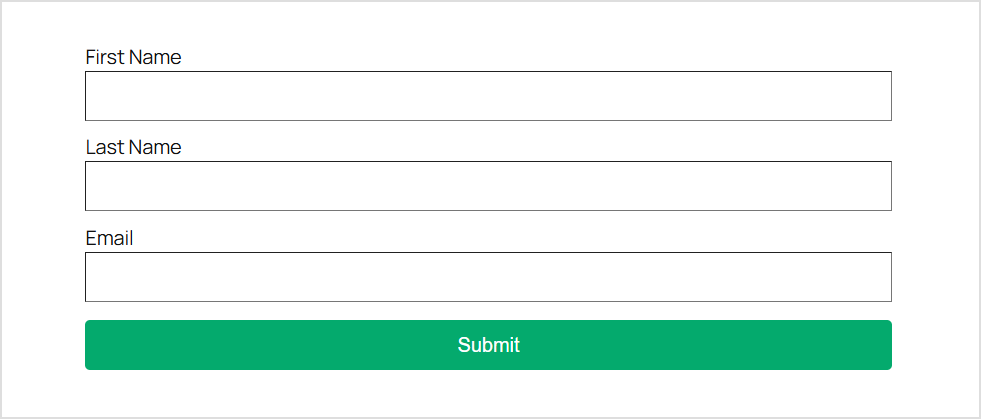
Step 3: Create a form with the necessary information
Step 3: Select the Actions After Submit section, add Google Sheets to the actions select box.
Step 4: Select the Google Sheets section and perform the integration
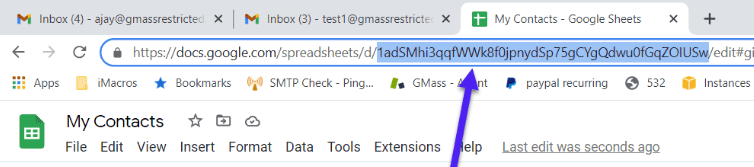
- Sheet ID: You need to get the ID of the Sheets file displayed on the browser.
- Tab Name:Tab name of google sheet corresponding to ID.
Step 5: Perform mapping of fields to corresponding rows.
Step 6: Complete mapping fields and test form operation.